
Raymarching through a voxel world on a TI-84+CE calculator

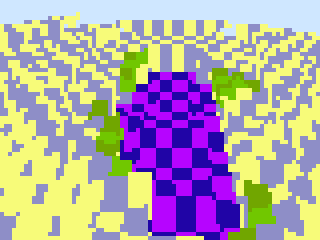
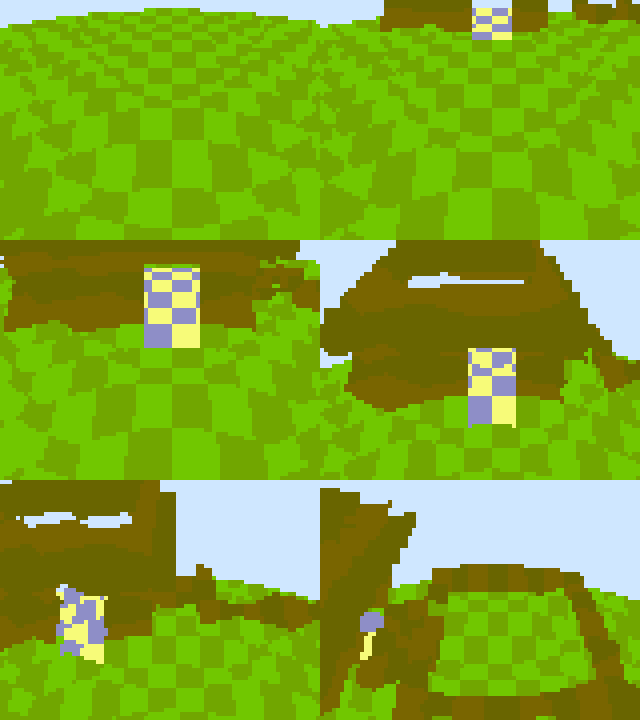
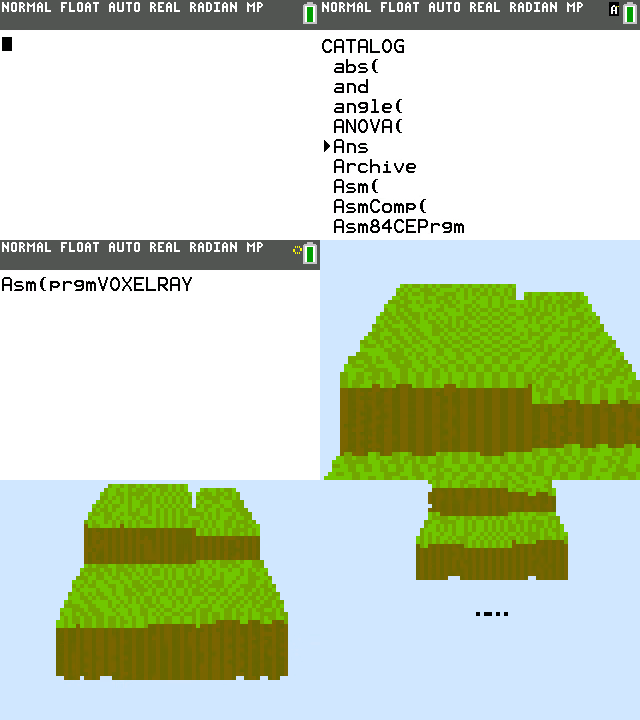
One of my favorite things to do when I learn to program for a particular system is to write a raymarcher. This time, though, I went for not a generic raymarcher, but one that specifically marches through a 3D voxel space. For those who do not know raymarching, here's a recap.
Recap
Raytracing is when you take a form and compute the intersection of a ray with it. While the idea is simple, raytracing can have extremely complicated formulae for computing these intersections, and become non-trivial for complex and dynamically-changing shapes.
Raymarching instead uses that ray and picks a point on it. It then computes the signed distance from the point to the shape. If the signed distance is positive, the point lies outside the shape and is "marched" that specific distance forward. If the signed distance is negative, then the point is inside the shape, and we have detected a collision. In both cases, the magnitude is the distance to the nearest point on the surface of the shape.
Suddenly, many things become simple and elegant. To render multiple shapes, you take the minimum of their signed distance fields. To render the intersection, you take their maximum. Other operations can be performed on SDFs without much fuss. Here's a simple scene with a plane and a sphere being softly merged, along with the sin function being applied on the plane.
I only scratched the surface here. Raymarching is much more involved than this and is certainly a fun rabbit hole to go down. I recommend everybody try it out and see the amazing demos available online that use it.
On the calculator
The TI-84+CE was introduced in 2015 and features an ez80 core running at 48MHz. The ez80 is, perhaps, the absolute most barebones change you can make to an instruction set. Why do I say this? Well, all techniques you may know on the z80 don't apply in ez80 mode, because register pairs are made of three bytes, the top of which isn't accessible directly! In x86 this isn't an issue, because you at least have instructions to aid you in retreiving those inaccessible bits quickly. Neither was this an issue in the z80, where you just performed operations on the individual bytes. In ez80, you can't do either of those things. The two most features added include 8*8=>16 multiplication and boosted block copy speeds. Other than that, though, the ISA is as if Zilog forgot all they've learnt in 40 years. Even the z180, which came 15 years earlier, has stack-relative addressing. The unfortunate design does make for a good time when you view it as a puzzle though and, indeed, some interesting stack + arithmetic tricks are used instead, but those are beyond me.
Because of my not being a skilled ez80 programmer, it was hard to make the raymarcher as fast as it is, and it is pretty slow even at 48MHz. I ended up limiting the renderer itself heavily to get a whole 1FPS, and one of these was the signed distance field. Essentially, it takes the integer parts of the ray position and indexes into a lookup table that represents the world. The world is 40x40x40, because 40 is the smallest number, the cube of which fits in one AppVar file.
The value at a voxel is a byte. If the value is positive, then this voxel is empty, and the value is the whole distance to the nearest non-empty block. If the value is negative, then it is the negated ID of the color of the block (that is directly in the hardware color palette). This way the amount of runtime work is minimized, but you may have noticed a little detail.. that distance is whole.
This would grant me a slap in the face by any other graphics programmer, because this destroys any ounce of quality and accuracy that is possible with true raymarching. This is also what seems to cause the curvy, Animal Crossing globe effect you see in the screenshots. Here is a photo breaking down the cause:
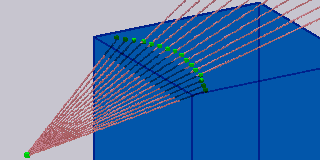

The pink color represents rays, the blue - a block, the green - points at which intersection was tested. In this example, each ray goes one whole unit in it's own direction (because the origin point of the rays was 1 whole unit from the closest block as per the signed distance field), so those that were closer to the center miss the block and collide with whatever comes after, if anything. The effect could be minimized by storing half or quarter units, but I didn't bother because there's no simple way to bitshift a 24-bit number on the ez80. I ended up really liking the effect, despite the lack of accuracy.
Upon launch, 4800 ray directions (for a fake 80x60 resolution) are calculated and stored in memory to be used later. This setup costs around 0.7 seconds, so rotating the camera effectively halvens the rendering rate. Because of this, you cannot rotate the camera yet. I'm computing normalized vectors via a normal sqrt + division sequence. I am considering changing it to use a custom inverse sqrt function calculated using Newton's method, but I'm not sure how much or if it will improve rotation times on this ISA and with fixed point. Another option is to rotate all 4800 vectors using trigonometry, but again, I can't say if anything improves. I'm lost on how to optimize actual rendering part.
The source code is available here, along with a world editor built in Python. Though unless you have the calculator, you won't see your world on the real thing. Don't expect to find the source anywhere near readable.
Should I get this calculator?
No. I would not buy a TI calculator anymore. They have slowly been eroding the homebrew calculator community, pandering to schools only, and I wouldn't be surprised if they remove Assembly programming entirely from their operating system. The calculator is also pretty advanced and closed, along with a SHA256 accelerator for whatever reason? I never thought I would say this, but you can't even trust your calculator today.
What would be interesting is a W65C816 + CPLD calculator with symbolic algebra software. The parts can be all off-the-shelf, reducing costs. I planned to make the algebra software for a generic 65816 emulator as a proof of concept, but I never had the time to get 'round to it. Even then, I myself don't have the resources to distribute these calculators with a case. A W65C816 can be overclocked to 20MHz without issues I've heard. That'd give the TI-84+CE a challenge, and might even beat it.