k4V2 (pre-alpha)
|
k4 is a physics-based, minimalist multiplayer 3D game framework. It's core is relatively small, providing:
Besides the above, everything is expected to be realized at the scripting level. Windows and Linux are natively supported. OpenGL ES support is planned, but low-priority. There are no plans for Mac support. The largest limitation as of now is the lack of rendering layers, which prevents certain effects such as portals or split-screen rendering. k4 accepts command-line parameters at launch in the form
|
|
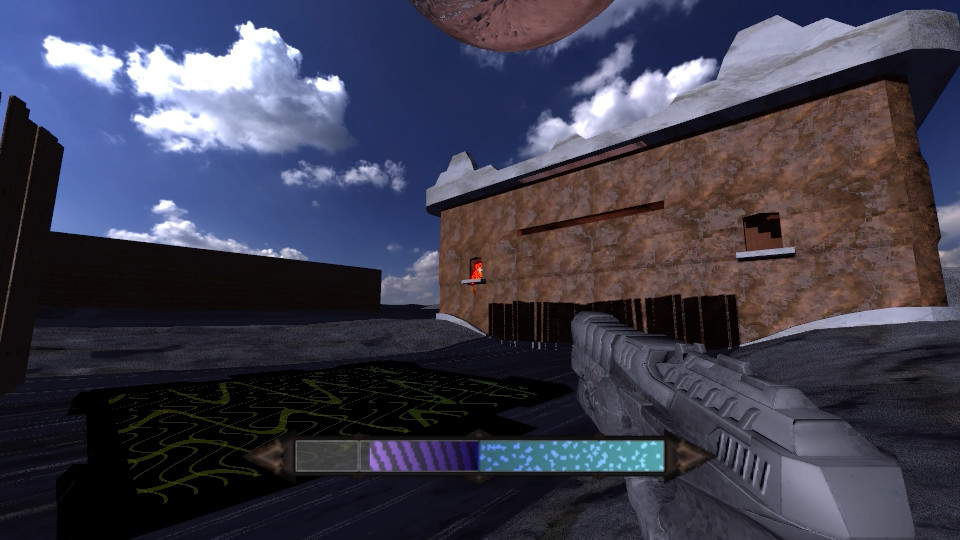
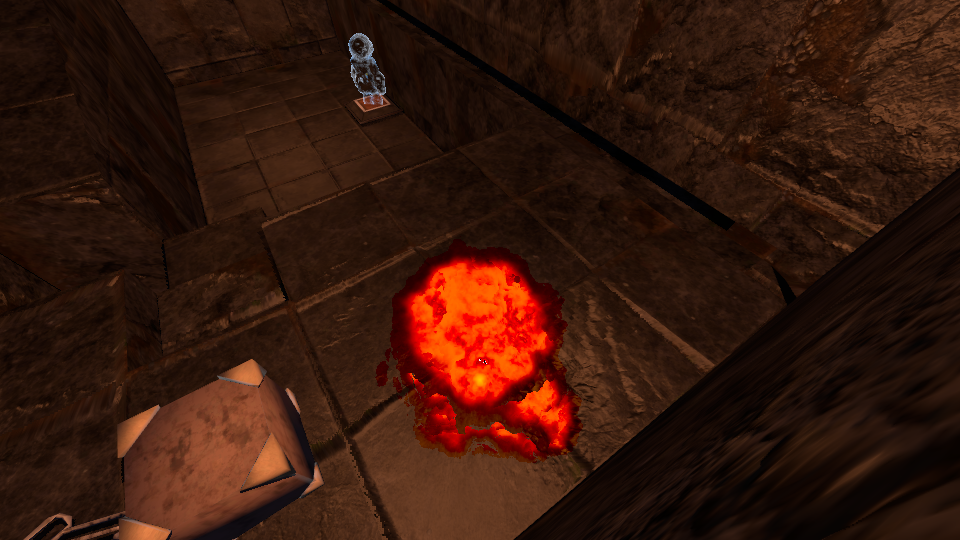
Scripting
Upon launch, k4 will automatically load a script within the assets directory. By default this is init, in assets/init.lua.
The smallest possible script is the following:
return {
	load = function()

	end
}
But this ignores the fact that scripts must set up controls, the player entity, menus, and more. As is, the scene will appear as a blank screen.
Scripts may load resources such as models, sounds, textures, and so on. Doing so is recommended only within the load function, otherwise loaded resources will stay loaded even after the engine switches scripts.
When the load function is called, entities and other items from the old scene are still left over. For most cases, it is recommended to immediately do game.cleanup() to reset the subsystems. The load function may assign functions to callbacks such as game.render, game.render2d or game.update, or any of game.triggers[i].
Once load finishes, game.join will be called, if it exists, to signify the joining of the main player. This is important for multiplayer scripts.
The module everything revolves around is game, which interfaces with k4.
game.ref(type: string, name: string): any
Get a resource. If doesn't exist, load. type may be any of mdl, physics, stream, tex, mat or font. The resource will be loaded from the first source with a matching type and name. Resources are reference-counted, and will be unloaded when there are no uses.
local healthbar = game.ref("tex", "healthbar.dif.png")
local bgm_source = game.ref("stream", "bgm.ogg")
game.batch(r: k3renderable, p: vec3, anchor: mat4, anim: k3animation)
Send a 3D renderable to the render queue at the position p. anchor is an optional model matrix, which is multiplied by the position vector. For example, the matrix game.camera allows you to render relative to the camera view. anim is an optional animation to apply (only on models). This function may be called only within the game.render callback.
game.batch(gun, {0.2, -0.2, -0.5}, game.camera)game.firstperson(fp: boolean)
Switch between first-person and third-person views.
game.firstperson(false)game.ray(max_length: number): k4ray
Immediately trace a ray in the physical scene (not graphical) from the player perspective. Returns an instance of the ray.
-- Shoot laser
local ray = game.ray(60)
local hit_pos = ray.pos
print("Hit ray at ", hit_pos[1], hit_pos[2], hit_pos[3])
print("Hit entity ", ray.hit)
game.set_texture_reduction(order: integer)
Halve the resolution of all textures in the resource system order times.
-- Half resolution
game.set_texture_reduction(1)
game.fbm3(x: number, y: number, z: number, octaves: integer, lacunarity: number, gain: number): number
Compute three-dimensional FBM noise based on Perlin. Octaves, lacunarity and gain is optional.
game.cleanup()
Reset all entities, triggers and other scriptable features in k4. Recommended to call this function immediately upon a script load, before setting up the scene.
game.cleanup()game.load(script: string)
Programatically load to a new script. The scene is not cleaned by this action.
game.load("lvl2")game.setphys(x: k4trimesh)
Sets an immutable, static physical mesh for the entire scene. x may be nil. There may be at most one static mesh in the scene.
local phys = game.ref("physics", "scene")
game.setphys(phys)
game.skybox(texture: k3tex)
Change the skybox texture of the scene. texture must be a cubemap texture.
local sb = game.ref("tex", "sky1.cub.png")
game.skybox(sb)
game.set_reduction(resolution: number)
Change the graphics resolution to resolution percent of the window resolution.
-- Half resolution
game.set_reduction(0.5)
game.trimesh_desc_concat(dest: k4trimesh, src: k4trimesh, offset_x: number, offset_y: number, offset_z: number)
Append the triangles and indices of src to the list in dest. Used for combining physical triangle meshes. src is unchanged.
game.perlin3(x: number, y: number, z: number): number
Compute three-dimensional Perlin.
Controls
k4 stores a mapping of "controls" to inputs within the game.controls table. Six controls are reserved by k4 for standard 3D movement: forward, back, left, right, grab and jump. The script must assign these so that the game becomes playable. The simplest method, though worst for accessibility, is to hardcode the options like so:
game.controls["forward"] = "W"
game.controls["back"] = "S"
game.controls["left"] = "A"
game.controls["right"] = "D"
game.controls["jump"] = " "
game.controls["grab"] = 0
String values correspond to scancodes, therefore the currently active keyboard layout does not affect gameplay. Integers 0 through 2 refer to mouse buttons.
Custom controls may be bound. If a control is either pressed or released, the game.ctrl handler will be called.
function game.ctrl(control_name, action)
	if control_name == "shit" then
		if action == 0 then
			-- Pressed (release your shit)
		elseif action == 2 then
			-- Released (hold in your shit)
		end
	end
end
The only input that may not be bound to is the Escape key. If said key is pressed, k4 will instead call the game.escape callback function.
Entities
k4 intentionally provides a minimal entity system.
game.addentity accepts an entity descriptor and adds an entity to the scene, of which there may be at most 65535. There are four entity components exposed to the script side: physics, render, movement, boned.
Once an entity is created, any of its components may be retreived by the script for inspection or modification with game.getcomponent:
local p = game.getcomponent(entity_id, "physics")
local player_position = p.pos
local player_quaternion = p.rot

-- Double player speed
p.speed = p.speed * 2
If a specific ID is required, the entity descriptor may optionally accept an id key with an integer below 65535. If this ID is already taken, this is erroneous.
A component object is a view to memory; it must not be saved across game ticks, or else you risk corrupting memory. Always call game.getcomponent again instead of storing it somewhere.
Physics component
The physics component grants an entity a shape in the physical scene. The descriptor of the physics component is mostly self-explanatory. The shape is determined by the existence of the mutually-exclusive box, sphere, capsule or trimesh keys.
Fields:
| Name | Type | Description |
trigger | integer | Trigger ID or 0 for none. |
dynamics | string | One of static, kinematic or dynamic. |
ghost | boolean | Allows to disable collision resolution. Triggers are still called, which is useful for scripted events. |
speed | number | Sets a movement speed. |
mass | number | Sets a total mass, in kg. |
friction | number | Sets friction of the shape, where 0 means no friction and 1 means a complete stop. |
pos | 3-vector | Sets a starting position of the entity. |
collide | integer | Overrides collision bitmask of entity (more explanation TBA). |
rot | quaternion | Sets a starting rotation of the entity. |
box | table | Sets a box shape for the entity. |
.w | number | Box length in X axis |
.h | number | Box length in Y axis |
.l | number | Box length in Z axis |
sphere | table | Sets a sphere shape for the entity. |
.radius | number | Sphere radius |
capsule | table | Sets a player-like capsule. This is mainly for character controllers. |
.radius | number | Capsule radius |
.length | number | Capsule length |
trimesh | string | k4trimesh | Sets a triangle mesh shape for the entity. Use these with caution. If string, it will be loaded like with game.ref. |
Render component
The render component exposes the entity to the renderer.
Fields:
| Name | Type | Description |
mdl | string | Name of the model resource. It will be loaded like with game.ref. |
pos | 3-vector | Sets a position of the entity. If there is a physics component, this field will be overriden. |
rot | quaternion | Sets a starting rotation of the entity. |
Boned component
The boned component allows the model in the render component to be animated using bone animation. Without this component, the model will stay in its bind pose.
Movement component
Without the movement component, the entity cannot move. The only valid keys within the movement component is dir, a vec3 which defines the direction in which the entity should move, and jump, which specifies whether the entity wishes to jump. If a player has been assigned to this entity, its movement component will be continually modified to correspond to the player's inputs.
game.getcomponent(ent: integer, type: string): userdata
Loads a specified entity component from the entity subsystem. This is not the entity descriptor table passed to game.addentity, however the structure is near-identical. Do not reuse the returned value across multiple game updates, else you risk corrupting memory.
-- Move entity 0 to the spawn point
game.getcomponent(0, "physics").pos = {0, 5, 0}
game.kill(ent: integer)
Kill an entity. May not be called within a trigger.
game.kill(0)game.addentity(desc: table): integer
Creates an entity from an entity descriptor and adds it to the entity subsystem. Returns the entity ID, that stays constant until the entity is removed. Entity IDs may be reused. k4 is currently hardcoded to support a maximum of 65535 entities.
game.addentity{
	render = {mdl = "modelname"},
	physics = {
		dynamics = "dynamic",
		capsule = {radius = 0.24, length = 1.3},
		pos = {0, 5, 0},
		rot = {0, 0, 0, 1},
		trigger = 0,
		speed = 6.5
	},
	movement = {
		dir = {0, 0, 0}
	}
}
Triggers
Any physical entity in k4 may have a corresponding integer trigger field. If the entity comes in contact with any other physical object, a corresponding callback function will be called. These callback may be assigned to the game.triggers table.
-- Place a large trigger box at the center of the scene
game.addentity{
	physics = {
		dynamics = "static",
		box = {w = 10, h = 10, l = 10},
		pos = {0, 0, 0},
		trigger = 1
	}
}

game.triggers[1] = function(id, e1, e2, event)
	print(e1 .. " and " .. e2 .. " have collided")
end
In the callback, id is the ID of the trigger (1 in the above example). e1 and e2 are the entity IDs which have collided. If the object in collision is actually not an entity, but the static physics mesh, then its entity ID will be nil. Similarly to controls, event being 0 marks the start of collision, 2 marks the end, and 1 is for the ticks in between.
k4 supports at most 65535 triggers in the scene. Triggers are 1-indexed, and the ID 0 means a lack thereof.
Killing entities or spawning them within a trigger is not allowed.
Audio
The audio subsystem is designed as a graph of audio processing nodes, which allows you to perform audio effects on or extract data from sounds.
3D sounds are currently unavailable, but are envisioned as being filters on top of mono sounds.
game.mix.sound(src: k3mixsource): k3mixwave
Create a sound from a sound source. This will not automatically play the sound. Sounds must not be shared by multiple parents, or they will sound whack.
local bgm_source = game.ref("stream", "bgm.ogg")
local bgm = game.mix.sound(bgm_source)
game.mix.play(wav: k3mixwave): k3mixwave
Play a sound wave. Returns the same sound wave.
game.mix.play(bgm)game.mix.stop(wav: k3mixwave): k3mixwave
Stop a sound wave. Returns the same sound wave.
game.mix.stop(bgm)game.mix.power(child: k3mixwave): k3mixpower
Create a power measurement node. A k3mixpower object has an rms field which stores the currently measured RMS value of the child sound wave within the last ??? milliseconds. This value is computed only when requested. If the power node is not playing, rms will be 0.
local p = game.mix.power(bgm)
print(p.rms)
game.mix.queue(): k3mixqueue
Create a queue of sound waves. Sound waves will be played one by one with seamless transitions in between. If the loop field of the currently active sound wave is set to true, then the queue will never advance to the next, without either setting said loop field to false, removing it from the queue manually or clearing the queue. Queues inherit k3mixwave and will similarly not play without game.mix.play.
local q = game.mix.queue()k3mixqueue:clear()
Clear a queue. If it is currently playing, the sound will abruptly stop.
q:clear()game.mix.stopsmooth(wav: k3mixwave): k3mixwave
Fades out sound wave very quickly, preventing audio clicks or blips. Returns the same sound wave.
game.mix.stopsmooth(bgm)k3mixqueue:add(child: k3mixwave)
Add child to a queue. If the queue is currently playing and it was empty prior to this call, it will begin playing immediately.
q:add(bgm)Clipboard
The clipboard interface is quite self-explanatory. Drag & dropping files is a planned feature.
-- Get text from the clipboard
print(game.clipboard.text)

-- Override text in the clipboard
game.clipboard.text = "pnis Ayy lmao"
Menus
k3Menu is an interface for stylizable retained UIs. Everything in k3Menu is an object that may contain other objects. This way k3Menu forms a tree. The top-level object the user will interact with is a screen.
Example menu:local screen = game.ui.screen()
local lbl = game.ui.label(fnt, 12, "Hello, World")
-- Activate screen
game.menu = screengame.ui.screen(): k3menuitem
Create a screen. All menu objects are placed inside of screens.
local screen = game.ui.screen()game.ui.textbutton(font: k3font, size: number, text: string): k3menuitem
Create a text button.
local btn = game.ui.textbutton(fnt, 12, "Press Harder")k3menuitem:set_bounds(x: number, y: number, w: number, h: number): k3menuitem
Set the boundaries of an object (relative to the screen). Returns itself.
btn:set_bounds(0, 0, 500, 200)k3menuitem:on(event_type: string, callback: function): k3menuitem
Add an event listener to an object. Event types are listed below. Returns itself.
btn:on("click", function()
	print(":)")
end)
game.ui.scrollbox(): k3menuitem
A scrollbox is a panel with a scrollbar to the side. All scrollboxes have a content field, which is a bare obj item containing the contents. All content should be added to the content, not the scrollbox.
local my_scrollbox = game.ui.scrollbox()
my_scrollbox.content:add_child(lbl)
k3menuitem:arrange(): k3menuitem
Trigger an arrange event for the item and its descendants.
game.screen:arrange()game.ui.obj(): k3menuitem
Create an empty object.
local obj = game.ui.obj()game.ui.label(font: k3font, size: number, text: string): k3menuitem
Create a label.
local lbl = game.ui.label(fnt, 12, "Cake")game.ui.textinput(font: k3font, size: number, placeholder: string, text: string): k3menuitem
Create a text input.
local input = game.ui.textinput(fnt, 12, "Eat", "Cake")k3menuitem:add_child(obj: k3menuitem): k3menuitem
Become the parent of obj. Returns itself.
screen:add_child(btn)
screen:add_child(lbl)
screen:add_child(input)
game.ui.image(source: string | k3tex): k3menuitem
Create an image object. If source is a string, the texture will be loaded from the resource manager. If source is a k3tex, it is used directly.
local img = game.ui.image("menu_icon.dif.png")k3menuitem:set_layout_linear(): k3menuitem
Force item to have a linear layout. This overrides the measure and arrange events of the item. Returns itself.
my_scrollbox.content:set_layout_linear()k3menuitem:measure(): k3menuitem
Trigger a measure event for the item and its descendants.
game.screen:measure()All objects have the x, y, w and h fields, which are self-explanatory. Because manually setting these is often impractical, k3Menu offers automatic layouts inspired by WPF.
With layouts there exist two additional events: measure and arrange. In measure, an item and all of its children determine their desired size. Afterwards, the arrange event takes in these desired sizes and finds a balanced size and placement for all. To trigger a relayout, first measure should be called, then arrange.
A top-down list layout can be set with k3menuitem:set_linear_layout().
It is fine to have custom measure and arrange callbacks if k3's builtin layouts and styles aren't enough. For example, an inventory system which downright ignores the measure event because it doesn't care:
panel:on("arrange", function()
	local ratio = 1408 / 1328

	local h = math.min(menu.h, 120 * game.dpmm)
	local w = ratio * h
	local x = menu.w / 2 - w / 2
	local y = menu.h / 2 - h / 2

	panel:set_bounds(x, y, w, h)

	local slots_w = math.floor(w * 0.9)
	local slots_h = math.floor(h * 0.9)
	local slot_w = slots_w / 9
	local slot_h = slot_w
	local slot_padding = slot_w * 0.05
	for i, slot in ipairs(slots) do
		local slot_ix = (i - 1) % 9
		local slot_iy = (i - 1) // 9

		slots[i]:set_bounds(
			x + (w - slots_w) / 2 + slot_ix * slot_w + slot_padding,
			y + slots_h - ((h - slots_h) / 2 + slot_iy * slot_h + slot_padding),
			slot_w - slot_padding * 2,
			slot_h - slot_padding * 2
		)
	end
end)
game.dpmm is the number of dots per millimeter (akin to DPI), which is useful for setting limits on object sizes.
You may set values for predefined "properties" on objects, accessible by the prop_* set of fields. For example, to change the horizontal alignment of a label, one may do:
lbl.prop_horizontal_alignment = "left"List of properties:
| Name | Type | Description |
prop_bg_color | 4-vector | Background color of an object |
prop_fg_color | 4-vector | Foreground color of an object |
prop_border_radius | 4-vector | Border radius of an object |
prop_margin | 4-vector | Margin, applied during layout |
prop_padding | 4-vector | Padding, applied during layout |
prop_left | Scalar | Offset from the left (only used by screens) |
prop_top | Scalar | Offset from the top (only used by screens) |
prop_width | Scalar | Desired width of the object |
prop_height | Scalar | Desired height of the object |
prop_font_size | Scalar | Desired font size (line height) |
prop_scrollbar_size | Scalar | Scrollbar thickness |
prop_scroll_anywhere | Boolean | If true, dragging anywhere on the widget will scroll, like in touchscreen UIs. If false, scrolling is only through the scrollbar. |
prop_horizontal_alignment | String | One of left, center or right. Only used by labels and textbuttons. |
prop_vertical_alignment | String | One of top, center or bottom. Only used by labels and textbuttons. |
List of events:
| Name | Description |
mouse_enter | Mouse enters object |
mouse_motion | Mouse moves within object |
mouse_leave | Mouse leaves object |
mouse_press | Mouse presses object |
mouse_release | Mouse releases object |
click | Object is clicked |
key_press | Key pressed while object is in focus |
key_release | Key released while object is in focus |
input | A UTF-8 codepoint is input while the object is in focus |
draw | Object is forced to redraw |
complete | Input is completed (e.g. enter was pressed) |
measure | Layout measuring |
arrange | Layout arrangement |
all | Make event listener capture all events |
Animations
An "animator" may be created with game.animator(model) and passed to game.batch when rendering. Each animator is created for a specific model; it is invalid to use an animator from one model on another.
Once an animator is created, either an animation or a tree of animations may be set on the animator with k3animator:set, then played with k3animator:play.
Basic animation example:
local animator = game.animator(mdl)
animator:set({type = "base", id = 1, loop = false})
animator:play()
Blend animation example:
local animator = game.animator(mdl)
animator:set({
	type = "blend",
	{
		anim = {type = "base", id = 1, loop = true},
		w = 1,
		speed = 1,
		offset = 0,
	},
	{
		anim = {type = "base", id = 2, loop = true},
		w = 1,
		speed = 1,
		offset = 0,
	}
}):play()
If w is a scalar, it defines the weight of each animation. Alternatively w may be a table, assigning a weight per each bone (see k3mdl:query_weights). This is useful for example, for combining walking and fighting animations.
Additive animation example:
gun_anim:set({
	type = "add",

	{type = "base", id = 1, loop = true},
	{type = "base", id = 2, loop = true},

	scale = 1.2,
}):play()
Animation blending is not animation addition. The former unlike the latter is commutative.
To apply an animator on an entity use the "boned" component:
game.getcomponent(entity_id, "boned").animator:set({type = "base", id = 1, loop = false}):play()game.animator(mdl: k3mdl): k3animator
Create an animator for a specified model.
k3animator:play(): k3animator
Play animation. Returns itself.
k3animator:set(anim: table): k3animator
Override the animator with a new animation tree, using the descriptor anim. Returns itself.
k3mdl:query_weights(bone_name: string, inclusive: boolean, invert: boolean): table
Returns a table of weight per bone, where 1 means it is a child of bone_name, and 0 otherwise. If inclusive is true, then the weight for bone_name is also 1. If invert is true, all weights are reversed (1s become 0s, 0s become 1s).
Planar water
k3 has a planar water implementation that simulates waves using finite differences on the CPU. A planar water model can be created with game.water, which accepts a material for rendering, and can be passed to game.batch.
Water is purely for rendering and any physical behavior must be done separately.
game.water(width: number, length: number, subdiv: integer, mat: k3mat): k3water
Create a k3water object. It will have subdiv + 1 faces on each axis.
local lava_obj = game.water(10, 10, 25, game.ref("mat", "lava"))k3water:disturb(x: number, z: number, useless: number, power: number)
Disturb the water object, forming waves. This should be called if, for example, an physical object collides with the water. x and z are relative to the center of the water object.
lava_obj:disturb(0, 0, 1, colliding_player_speed / 10)k3water:simulate(dt: number, C: number, mu: number, substeps: integer)
Simulate the wave equation for dt seconds worth of time in substeps substeps. C is the wave speed and mu is the dampening parameter, where 1 means no dampening. Never pass a variable timestep to dt or the waves will explode.
lava_obj:simulate(0.03, 2, 1, 20)k3water:update()
Update the 3D model associated with this water object. This should be done between simulating and rendering.
lava_obj:update()Particle systems
A particle system is created with game.particle_system. A system uses exactly one material for its particles. Like water, a particle system may be passed to game.batch.
game.particle_system(limit: integer, mat: k3mat): k3particles
Create a k3particles object. It will have at most limit particles at any frame.
local parts = game.particle_system(1500, game.ref("mat", "particle_smoke"))k3particles:update(): k3particles
Update the particle system's model. Must be called on each frame to ensure the particles face the camera.
parts:update()Fields:
| Name | Type | Description |
origin | 3-vector | Particle emisison origin (relative to position of particle system). |
enabled | boolean | If false, no particles are emitted. |
rate | number | Emission rate in particles per second. |
cone_direction | 3-vector | Defines the emission cone direction. |
cone_angle | number | Defines the emission cone angle. If math.pi, then particles are emitted uniformly on a sphere. |
gravity | 3-vector | Acceleration for all particles. |
lifetime | number | How long a particle lives in seconds. |
remaining | number | How long a the particle system will stay on. This will count down to zero in real-time. |
color_start | 4-vector | Color of a particle once its lifetime begins. |
color_end | 4-vector | Color of a particle once its lifetime ends. |
Example usage:
local part = game.particle_system(1500, game.ref("mat", "particle_smoke"))
part.origin = {p.pos[1], p.pos[2] - 1.0, p.pos[3]}
part.enabled = true
part.rate = 500
part.cone_direction = {0, 1, 0}
part.cone_angle = math.pi / 3
part.gravity = {0, 0.35, 0}
part.lifetime = 2.5
part.remaining = 0.75
part.color_start = {1, 1, 1, 1}
part.color_end = {1, 1, 1, 0}
Networking
A k4 scene can easily transition from singleplayer to multiplayer by calling either game.net.host or game.net.join.
For hosting, k4 will attempt to automatically open a port through either the PCP or NAT-PMP protocols (unimplemented). The server generates a "peercode" with game.net.gen_peercode, which returns a string containing a few IP addresses.
However, automatic port forwarding is likely to fail due to poor adoption of both PCP and NAT-PMP. Should this occur, players will be forced to manually establish connections via what is known as hole punching. To do this, the client should also generate his/her peercode with game.net.gen_peercode. The player responsible for the client should then pass this peercode to the host player. The host side should then "punch a hole" through its NAT to the client using game.net.punch. Once said function is called, it may become possible for the client to connect.
If the server turns out to be behind a symmetric NAT, then game.net.gen_peercode will also fail, in which case either a port must be manually opened, or a different player must host the game.
Server-side:
game.net.host()

-- If punching is required, get some_clients_peercode (like with the clipboard), then do
game.net.punch(some_clients_peercode)
Client-side:
game.net.join(server_peercode)Once a connection is established, the game.join handler will be called by k4 with a k4peer object representing the connection to the newly-joined client. Messages may be sent to a client by calling k4peer:send. The server may broadcast messages to all players (excluding itself) with game.send. For clients, game.send sends only to the server. Clients cannot send messages to other clients.
Messages may be received by assigning a handler to game.receive.
Messages can be any serializable Lua types (no lightuserdata, userdata, thread and function types).
function game.join(cli)
	cli:send("Ping")
end

function game.receive(cli, msg)
	if msg == "Ping" then
		cli:send("Pong")
	end
end
While k4 itself provides seamless transitions to multiplayer, this still requires effort from the script writer.
Firstly, k4 employs client-side prediction, which means the client will keep the simulation running without waiting for the server to send the authorative state. As this is a prediction, it can be wrong, in which case the client will be forced to rollback the state to what the server sent. This means that, for example, a player can enter a trigger and suddenly exit it because of a misprediction. Meanwhile on the server, the player could have never entered the trigger at all.
Secondly, k4 employs server reconciliation, which means the client will try prediction again after receiving the authorative state from the server, using the recent player inputs. Using the same example, this means a player could enter a trigger, exit it, and enter it again, while on the server the player could've entered it only once.
Thirdly, client-side prediction is done only for k4's own entity system, which ignores any properties that could be defined by scripts, e.g. player health. This means if a script's logic depends on things that could be mispredicted, divergence from the server state is inevitable.
Accounting for all of this, to write multiplayer-compliant scripts, one must take into account the following rule: all major gameplay events must be explicitly confirmed by the server through messages instead of being predicted by the client. Clients should allow an entity's health to go below 0 without killing it, servers should periodically send true entity healths and announce kills in case clients missed it. A script can know if it is authorative with the boolean game.authority.
game.net.gen_peercode(on_receive: function)
Generate a peercode. The data stored within may contain the peer's external IP address and local IP address, for both IPv4 and IPv6. The value is returned in a callback.
game.net.gen_peercode(function(peercode, err)
	-- ... get peercode to other player ...
end)
game.net.join(other_peercode: string)
Assume client configuration. Attempt to join a server using its peercode. Returns a boolean with a success status. If the peercode is invalid, throws an error.
game.net.join(server_peercode)game.send(msg: any)
If a client, send to the server. If a server, broadcast to all clients.
game.send("Yo")game.net.host(other_peercode: string)
Assume server configuration. Attempt to bind socket and begin hosting. Returns a boolean with a success status.
game.net.host()game.net.punch(client_peercode: string)
Attempt to punch a hole to a client. Peercode must be manually sent to the host through a different channel. If the peercode is invalid, throws an error. This is necessary only if using manual punching.
game.net.punch(client_peercode)k4peer:send(msg: any)
Send a message to a peer.
cli:send("Yo")Creating resources for k4
All assets in the resource system are loaded from a prioritized list of sources, one of which is the assets directory. All graphical resources (models, materials and textures) are within the subdirectory mdl, audio files are within aud and raw triangle meshes are within phys. It is planned to allow archive files to be sources in a future version of k4.
Audio
Audio files must be Ogg containers with the Vorbis codec, and they must be of 44.1kHz sample rate. Audio is streamed from the disk, therefore length will not impact RAM usage.
Similarly to Sonic Robo Blast 2, k4 supports the LOOPPOINT metadata field, which specifies the sample index where a loop should begin.
Models
k4's graphics engine, k3, has a standard file format for models. Models currently support position, UV, color and bone attributes, but it is planned to allow generic attributes.
An export script is available for Blender 2.79, and another script exists for converting from the GLTF2 file format. Beware, because k3 is more or less advanced in different areas compared to either GLTF2 or Blender, most properties are completely ignored by the scripts. For example, only the names of materials are transferred, so k4 may find it within it's own resources. All textures attached to the material are ignored, and you must specify them manually in the material files.
Textures
Texture filenames must be suffixed with one of .dif.png for diffuse textures, .nrm.png for normal textures, .dsp.png for displacement textures, .emt.png for emissive textures, .rgh.png for roughness textures and .alp.png for alpha textures. These are necessary so k3 may properly interpret the colors and render them.
Cubemap textures are needed for, for example, skyboxes. Although a k4 script will load cubemap textures with a .cub.png suffix (game.ref("tex", "sky1.cub.png")), you actually need six files in the filesystem, one for each side of the cube: .px.png for the +X side, .py.png — +Y, .pz.png — +Z, .nx.png — -X, .ny.png — -Y, .nz.png — -Z.
Fonts
Fonts are simply TrueType files.
Materials
Graphics resources are the most complex because of k3's hardware compatibility. Materials must specify properties for each graphics backend.
k4 uses the Lua interface to allow specifying materials, therefore material files are simply Lua scripts. The material is composed of a prioritized list of rendering techniques. k3 will attempt to initialize the first technique, and will use the rest as fallbacks. If all techniques fail, k3 will use the always supported primitive form of rendering.
In each technique we have a list of rendering passes, the maximum of which is currently hardcoded to 1. The render pass may specify certain rendering options such as additive rendering.
Here is an example material script that uses either a GL3.3 shader (with the GLCORE macro defined), or a GL2.1 shader, or a shaderless mode with a single texture, in that order. If all three modes fail, k3 will use a gray color as set in primitive.
Because Mesa is stupid, core-profile rendering is strictly equivalent to an OpenGL version equal to or above 3.3, even though this isn't required by the OpenGL standard.
return {
	skinning = false,
	primitive = {
		diffuse = {0.5, 0.5, 0.5, 1}, shininess = 16,
		specular = {0, 0, 0, 1}, emission = {0, 0, 0, 0},
	},
	-- First technique
	{
		-- First pass
		{
			-- Request GLSL
			glsl = {
				vs = {330, "regular.vs.glsl"},
				fs = {330, "regular.fs.glsl"},
				defs = {GLCORE = ""}, u = {u_dif = 0},
			},
			-- Set texture units
			units = {
				{tex = "checkers.dif.png"},
			}
		}
	},
	-- Second technique
	{
		-- First pass
		{
			-- Request GLSL
			glsl = {
				vs = {120, "regular.vs.glsl"},
				fs = {120, "regular.fs.glsl"},
				defs = {}, u = {u_dif = 0},
			},
			-- Set texture units
			units = {
				{tex = "checkers.dif.png"},
			}
		}
	},
	-- Third technique
	{
		-- First pass
		{
			-- No GLSL
			-- Set texture units
			units = {
				{tex = "checkers.dif.png"}
			}
		}
	},
}
Getting started
For the majority of cases, the vanilla distribution of k4 is enough to begin scripting. It is built to run on at least the Pentium 4. It contains boilerplate resources, sample 3D models to play with and a starting script with a simple 3D scene. Note that k4 remains in an alpha state, and breaking changes will be common.
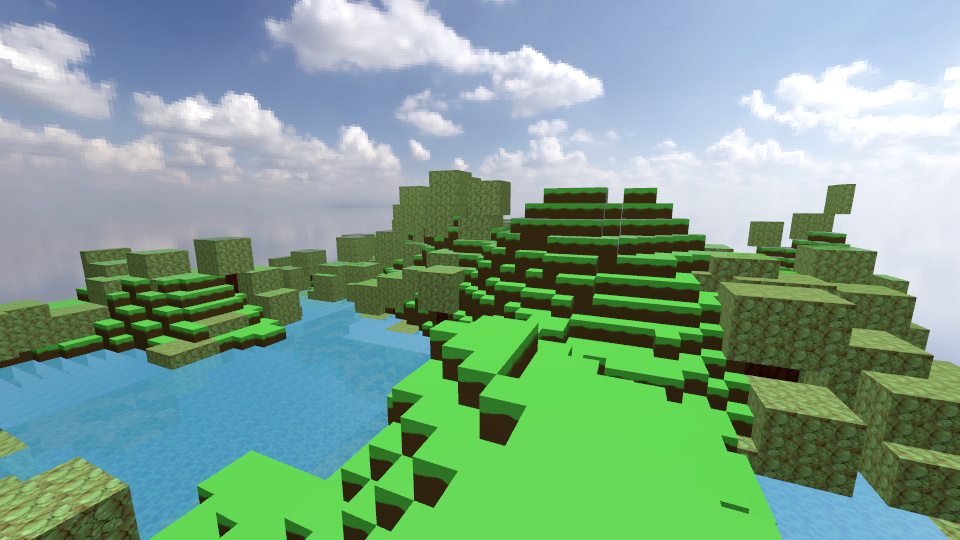
But it is even encouraged to modify k4 itself, if you need the performance. For example, the voxel demo shows bad hiccups when placing or removing blocks, because the Lua script is the bottleneck in regenerating chunk models. This shows the need for a voxel extension to k4 (and k3).
Support
Yeah
Planned features:
- Decals
Animation blending & layering- 3D sounds
- Customizable rendering pipeline
- Resource archives
- WebAssembly scripting?
- OpenGL ES support
- Joystick support, including flick stick movement